The product list is made up of three parts. The first concerns the product display filters. The second is a form for creating a new product. The third is the product list.
Filters
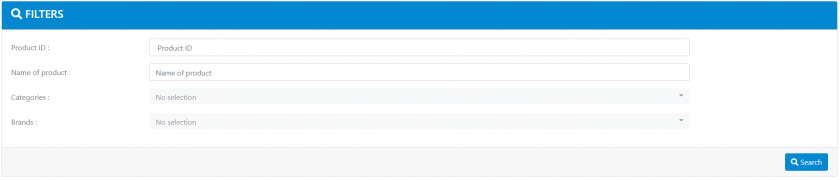
These filters allow you to search for a product using the following criteria:
- Its unique identifier (e.g.: "TEST2512")
- Its name (e.g.: “Test product”)
- One of its categories
- Its brand
Apart from the identifier, all other search criteria may yield several products.
New product form
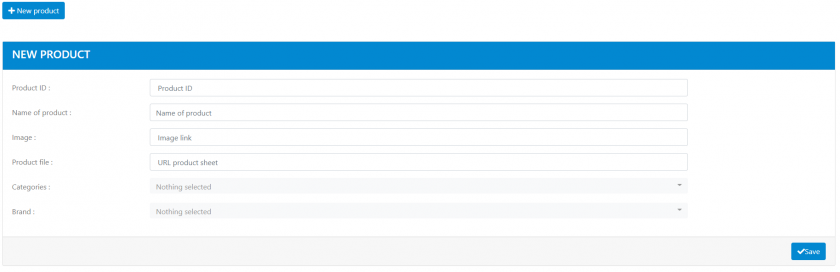
This form allows you to create a new product by using the following information:
- Unique identifier (required)
- Name (required)
- Image (optional)
- URL of the product page (optional)
- The associated category/ies (optional)
- The brand (optional)
Product list
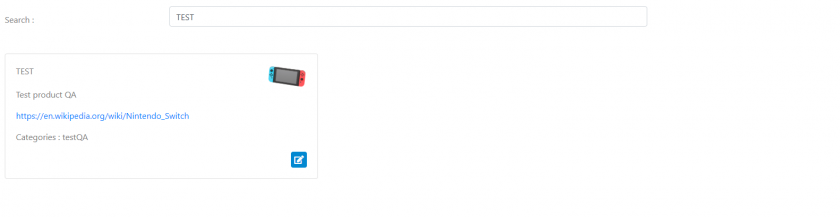
The list is in two parts: one part is the search bar that allows you to search for a product by using its identifier or its name, and the second is the product list in the form of cards.
It is possible to edit a product by clicking on the edit icon. The following information can be edited:
- Name
- Image
- URL of the product page
- Categories
- Brand